Incredible patches &
powerful effects.
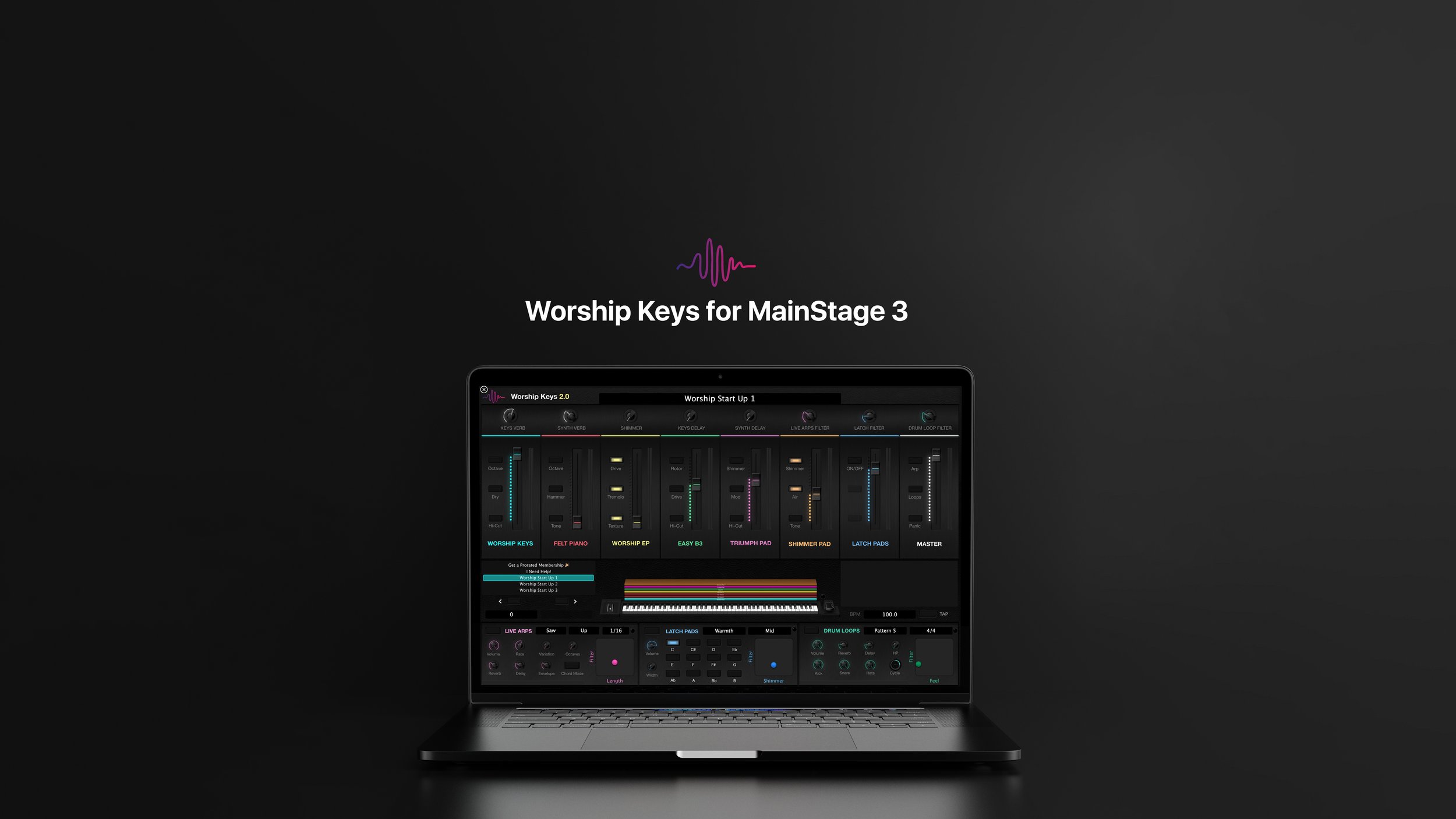
Powerful multi-layered patches with up to 6 instrument layers
Library of over 120 custom designed sounds, ranging from dynamic grand pianos & uprights, EPs, organs, analog-modeled synths, expressive pads, arpeggiators, synth bass, & more! (amount varies per template edition)
Versatile MIDI FX players—including drone pads, live arps, & drum loops
Copy & paste our sounds to create your own layered worship patches
Run your worship band’s multitracks and your keys patches simultaneously
Drone Pads Player
Activate endless drone pads in all 12 keys, that fade in and out seamlessly. Plus, with 5 presets, timbre & FX controls, you have real-time flexibility over the way you want them to sound.
Live Arps Player
The Live Arps Player adds arpeggiated synth sequences based in your designated key. You can either play along to them, or trigger them alongside your pre-recorded multitrack stems!
Drum Loop Player
Add rhythm and feel instantly at the push of a button. Choose from 10 curated drum patterns to layer into your keys rig, or to play along with your pre-recorded multitrack stems!

Elevate your Ableton Keys Rig
Ableton Lite Template
$49
-
Font Awesome Icons License for only 1 user
-
Font Awesome Icons 10 layered stage-ready patches
-
Font Awesome Icons 30 custom instrument sounds
-
Font Awesome Icons Latch Pads Player with 1 preset
-
Font Awesome Icons  Live Arps Player not included
-
Font Awesome Icons
Drum Loop Player not included
-
Font Awesome Icons
Spitfire LABS patches not included
-
Font Awesome Icons Video tutorials for easy setup
NOTE : No extra plugins or software required
Ableton Standard Template
$69
-
Font Awesome Icons License for only 1 user
-
Font Awesome Icons 25 layered stage-ready patches
-
Font Awesome Icons 60 custom instrument sounds
-
Font Awesome Icons Drone Pads Player with 3 presets
-
Font Awesome Icons Live Arps Player with 1 preset
-
Font Awesome Icons Drum Loop Player with 5 grooves
-
Font Awesome Icons 10 Spitfire LABS patches
-
Font Awesome Icons Video tutorials for easy setup
NOTE : Spitfire LABS plug-in required*
Worship Start Member Template
Free for Members!
-
Font Awesome Icons License for entire church team
-
Font Awesome Icons 50 layered stage-ready patches
-
Font Awesome Icons 120 custom instrument sounds
-
Font Awesome Icons Drone Pads Player with 5 presets
-
Font Awesome Icons Live Arps Player with 5 presets
-
Font Awesome Icons Drum Loop Player with 10 grooves
-
Font Awesome Icons 25 Spitfire LABS patches
-
Font Awesome Icons Video tutorials for easy setup
-
Font Awesome Icons Free access to all expansions
-
Font Awesome Icons Unlimited store-wide downloading
NOTE : Spitfire LABS plug-in required*
Use Worship Keys for Ableton with any controller
Midi Controller

Korg Nanonkontrol 2


Frequently Asked Questions
-
Yes! When you sign up for Worship Start’s Single User membership or Church Wide membership, you can download Worship Keys completely free as long as you’re signed in. The only difference being that the Single User membership grants only one person a license to use Worship Keys, whereas the Church Wide membership gives licenses for anyone in your church to use Worship Keys.
-
Any commercial midi keyboard (76-88 key recommended)
Intel-based Mac or M1 Mac
MainStage 3 version 3.4 or higher
2 USB midi cables
Audio interface
-
If you do not own a nanokontrol 2 controller, you can either:
Use any knobs or faders that exist on your midi keyboard to control Worship Keys
Download Touch OSC to control Worship Keys using an iPad
-
If you encounter any problems with Worship Keys, or any products relating to Worship Keys, visit our support page for troubleshooting articles and videos. If you are unable to find a solution, message the Worship Start team via the messenger chat on the homepage.
-
The Worship Keys Standard Template does not include our library of song-specific patches. They must be purchased separately. If you are a Worship Start member, all song-specific patches are free and easily imported into Worship Keys.
-
Our commitment to our members is to release new sound libraries for Worship Keys every 1-2 months. We also listen closely to the requests of our members and often schedule/build content accordingly.
-
You do not need to purchase any additional plug-ins or software to run Worship Keys. All you need is MainStage 3’s stock plugins and full sound library installation.