Single Patches
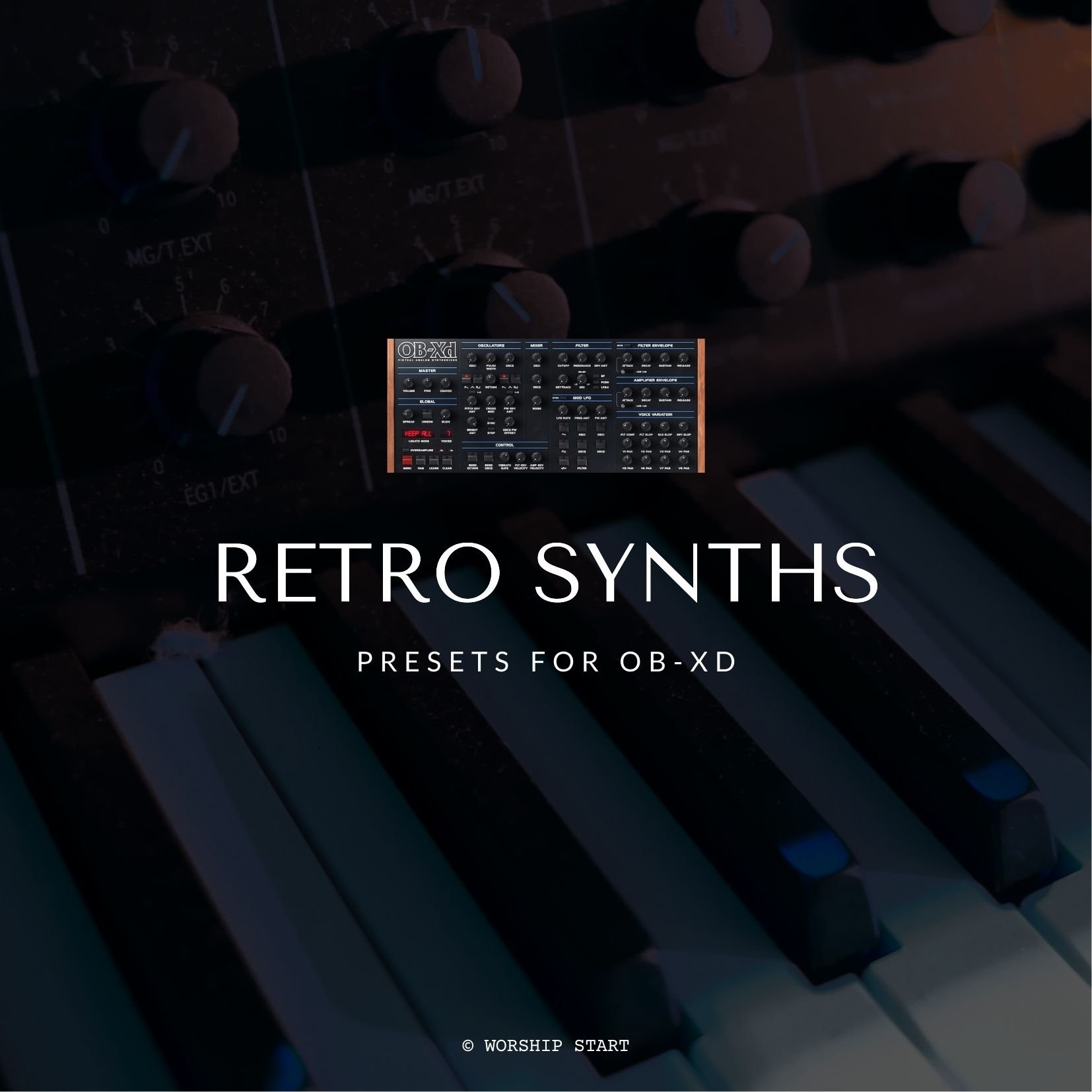
Requires OB-Xd 3.4+
<!DOCTYPE html> <html> <head> <style> /* Set the background color to #f2f2f2 */ audio { background-color: #f2f2f2; border-radius: 9px; width: 100%; padding: 10px; margin: 0 0 5px; /* Reduced margin */ } .button-container { display: flex; justify-content: space-between; align-items: center; margin-top: 5px; /* Reduced margin */ margin-bottom: 10px; } /* Custom styling for the "Add to Cart" button */ .sqs-add-to-cart-button, .custom-button { background-color: transparent; width: calc(50% - 5px) !important; /* Make the button fill 50% of the width */ padding: 10px !important; /* Add padding to the button */ margin: 0 !important; /* Remove default margin */ font-size: 14px !important; /* Set button text size to 14px */ text-align: center; /* Align button text to the center */ display: flex; align-items: center; justify-content: center; position: relative; height: calc(100% - 20px); /* Match height with custom button */ border-radius: 15px; /* Apply border radius */ } .sqs-add-to-cart-button-inner, .custom-button { width: 100% !important; white-space: nowrap !important; /* Prevent the text from wrapping */ } .sqs-add-to-cart-button { margin-right: 5px !important; margin-top: -17px !important; } /* New button with background color #f2f2f2 */ .custom-button { background-color: #f2f2f2; /* Set background color */ width: calc(50% - 5px) !important; height: calc(100% - 22px); /* Make the button height the same as audio player */ margin-top: -17px !important; font-size: 14px !important; border-radius: 9px !important; } </style> </head> <body> <audio controls controlsList="nodownload noplaybackrate" preload="none"> <source src="https://static1.squarespace.com/static/5e4b41568ae6b644169bed5a/t/665f3910b9fbc52d2a82c2ae/1673967209174/80s+String+Lead+Audio+Sample.mp3/original/80s+String+Lead+Audio+Sample.mp3" type="audio/mpeg"> Your browser does not support the audio element. </audio> <div class="button-container"> <div class="sqs-add-to-cart-button sqs-suppress-edit-mode sqs-button-element--primary" role="button" tabindex="0" data-dynamic-strings="" data-collection-id="665df730c2ef921f56e98762" data-item-id="665f3910b9fbc52d2a82c2b3" data-product-type="2" data-use-custom-label="false" data-original-label="Add To Cart" id="yui_3_17_2_1_1717775614752_693"> <div class="sqs-add-to-cart-button-inner">Add To Cart</div> </div> <a class="custom-button" href="https://worshipstart.memberspace.com/content/fe2b56301a7">Download</a> <!-- Replace YOUR_URL_HERE with the actual URL --> </div> <div class="audio-title"></div> <!-- Title displayed on the player interface --> </body> </html>
Requires OB-Xd 3.4+
<!DOCTYPE html> <html> <head> <style> /* Set the background color to #f2f2f2 */ audio { background-color: #f2f2f2; border-radius: 9px; width: 100%; padding: 10px; margin: 0 0 5px; /* Reduced margin */ } .button-container { display: flex; justify-content: space-between; align-items: center; margin-top: 5px; /* Reduced margin */ margin-bottom: 10px; } /* Custom styling for the "Add to Cart" button */ .sqs-add-to-cart-button, .custom-button { background-color: transparent; width: calc(50% - 5px) !important; /* Make the button fill 50% of the width */ padding: 10px !important; /* Add padding to the button */ margin: 0 !important; /* Remove default margin */ font-size: 14px !important; /* Set button text size to 14px */ text-align: center; /* Align button text to the center */ display: flex; align-items: center; justify-content: center; position: relative; height: calc(100% - 20px); /* Match height with custom button */ border-radius: 15px; /* Apply border radius */ } .sqs-add-to-cart-button-inner, .custom-button { width: 100% !important; white-space: nowrap !important; /* Prevent the text from wrapping */ } .sqs-add-to-cart-button { margin-right: 5px !important; margin-top: -17px !important; } /* New button with background color #f2f2f2 */ .custom-button { background-color: #f2f2f2; /* Set background color */ width: calc(50% - 5px) !important; height: calc(100% - 22px); /* Make the button height the same as audio player */ margin-top: -17px !important; font-size: 14px !important; border-radius: 9px !important; } </style> </head> <body> <audio controls controlsList="nodownload noplaybackrate" preload="none"> <source src="https://static1.squarespace.com/static/5e4b41568ae6b644169bed5a/t/665f3919fb8d5d537d82b95c/1673967220140/Battle+Pluck+Audio+Sample.mp3/original/Battle+Pluck+Audio+Sample.mp3" type="audio/mpeg"> Your browser does not support the audio element. </audio> <div class="button-container"> <div class="sqs-add-to-cart-button sqs-suppress-edit-mode sqs-button-element--primary" role="button" tabindex="0" data-dynamic-strings="" data-collection-id="665df730c2ef921f56e98762" data-item-id="665f3919fb8d5d537d82b961" data-product-type="2" data-use-custom-label="false" data-original-label="Add To Cart" id="yui_3_17_2_1_1717775909219_693"> <div class="sqs-add-to-cart-button-inner">Add To Cart</div> </div> <a class="custom-button" href="https://worshipstart.memberspace.com/content/f6527cfffb9">Download</a> <!-- Replace YOUR_URL_HERE with the actual URL --> </div> <div class="audio-title"></div> <!-- Title displayed on the player interface --> </body> </html>
Requires OB-Xd 3.4+
<!DOCTYPE html> <html> <head> <style> /* Set the background color to #f2f2f2 */ audio { background-color: #f2f2f2; border-radius: 9px; width: 100%; padding: 10px; margin: 0 0 5px; /* Reduced margin */ } .button-container { display: flex; justify-content: space-between; align-items: center; margin-top: 5px; /* Reduced margin */ margin-bottom: 10px; } /* Custom styling for the "Add to Cart" button */ .sqs-add-to-cart-button, .custom-button { background-color: transparent; width: calc(50% - 5px) !important; /* Make the button fill 50% of the width */ padding: 10px !important; /* Add padding to the button */ margin: 0 !important; /* Remove default margin */ font-size: 14px !important; /* Set button text size to 14px */ text-align: center; /* Align button text to the center */ display: flex; align-items: center; justify-content: center; position: relative; height: calc(100% - 20px); /* Match height with custom button */ border-radius: 15px; /* Apply border radius */ } .sqs-add-to-cart-button-inner, .custom-button { width: 100% !important; white-space: nowrap !important; /* Prevent the text from wrapping */ } .sqs-add-to-cart-button { margin-right: 5px !important; margin-top: -17px !important; } /* New button with background color #f2f2f2 */ .custom-button { background-color: #f2f2f2; /* Set background color */ width: calc(50% - 5px) !important; height: calc(100% - 22px); /* Make the button height the same as audio player */ margin-top: -17px !important; font-size: 14px !important; border-radius: 9px !important; } </style> </head> <body> <audio controls controlsList="nodownload noplaybackrate" preload="none"> <source src="https://static1.squarespace.com/static/5e4b41568ae6b644169bed5a/t/665f3922a300ee1242b05bb8/1673967230559/Brassy+Pad+Audio+Sample.mp3/original/Brassy+Pad+Audio+Sample.mp3" type="audio/mpeg"> Your browser does not support the audio element. </audio> <div class="button-container"> <div class="sqs-add-to-cart-button sqs-suppress-edit-mode sqs-button-element--primary" role="button" tabindex="0" data-dynamic-strings="" data-collection-id="665df730c2ef921f56e98762" data-item-id="665f3922a300ee1242b05bbd" data-product-type="2" data-use-custom-label="false" data-original-label="Add To Cart" id="yui_3_17_2_1_1717776002526_693"> <div class="sqs-add-to-cart-button-inner">Add To Cart</div> </div> <a class="custom-button" href="https://worshipstart.memberspace.com/content/f265576f55e">Download</a> <!-- Replace YOUR_URL_HERE with the actual URL --> </div> <div class="audio-title"></div> <!-- Title displayed on the player interface --> </body> </html>
Requires OB-Xd 3.4+
<!DOCTYPE html> <html> <head> <style> /* Set the background color to #f2f2f2 */ audio { background-color: #f2f2f2; border-radius: 9px; width: 100%; padding: 10px; margin: 0 0 5px; /* Reduced margin */ } .button-container { display: flex; justify-content: space-between; align-items: center; margin-top: 5px; /* Reduced margin */ margin-bottom: 10px; } /* Custom styling for the "Add to Cart" button */ .sqs-add-to-cart-button, .custom-button { background-color: transparent; width: calc(50% - 5px) !important; /* Make the button fill 50% of the width */ padding: 10px !important; /* Add padding to the button */ margin: 0 !important; /* Remove default margin */ font-size: 14px !important; /* Set button text size to 14px */ text-align: center; /* Align button text to the center */ display: flex; align-items: center; justify-content: center; position: relative; height: calc(100% - 20px); /* Match height with custom button */ border-radius: 15px; /* Apply border radius */ } .sqs-add-to-cart-button-inner, .custom-button { width: 100% !important; white-space: nowrap !important; /* Prevent the text from wrapping */ } .sqs-add-to-cart-button { margin-right: 5px !important; margin-top: -17px !important; } /* New button with background color #f2f2f2 */ .custom-button { background-color: #f2f2f2; /* Set background color */ width: calc(50% - 5px) !important; height: calc(100% - 22px); /* Make the button height the same as audio player */ margin-top: -17px !important; font-size: 14px !important; border-radius: 9px !important; } </style> </head> <body> <audio controls controlsList="nodownload noplaybackrate" preload="none"> <source src="https://static1.squarespace.com/static/5e4b41568ae6b644169bed5a/t/665f392ace87d332bbd0fe52/1673967247470/Filtered+Lead+Audio+Sample.mp3/original/Filtered+Lead+Audio+Sample.mp3" type="audio/mpeg"> Your browser does not support the audio element. </audio> <div class="button-container"> <div class="sqs-add-to-cart-button sqs-suppress-edit-mode sqs-button-element--primary" role="button" tabindex="0" data-dynamic-strings="" data-collection-id="665df730c2ef921f56e98762" data-item-id="665f392ace87d332bbd0fe57" data-product-type="2" data-use-custom-label="false" data-original-label="Add To Cart" id="yui_3_17_2_1_1717776101419_693"> <div class="sqs-add-to-cart-button-inner">Add To Cart</div> </div> <a class="custom-button" href="https://worshipstart.memberspace.com/content/fa120740a17">Download</a> <!-- Replace YOUR_URL_HERE with the actual URL --> </div> <div class="audio-title"></div> <!-- Title displayed on the player interface --> </body> </html>
Requires OB-Xd 3.4+
<!DOCTYPE html> <html> <head> <style> /* Set the background color to #f2f2f2 */ audio { background-color: #f2f2f2; border-radius: 9px; width: 100%; padding: 10px; margin: 0 0 5px; /* Reduced margin */ } .button-container { display: flex; justify-content: space-between; align-items: center; margin-top: 5px; /* Reduced margin */ margin-bottom: 10px; } /* Custom styling for the "Add to Cart" button */ .sqs-add-to-cart-button, .custom-button { background-color: transparent; width: calc(50% - 5px) !important; /* Make the button fill 50% of the width */ padding: 10px !important; /* Add padding to the button */ margin: 0 !important; /* Remove default margin */ font-size: 14px !important; /* Set button text size to 14px */ text-align: center; /* Align button text to the center */ display: flex; align-items: center; justify-content: center; position: relative; height: calc(100% - 20px); /* Match height with custom button */ border-radius: 15px; /* Apply border radius */ } .sqs-add-to-cart-button-inner, .custom-button { width: 100% !important; white-space: nowrap !important; /* Prevent the text from wrapping */ } .sqs-add-to-cart-button { margin-right: 5px !important; margin-top: -17px !important; } /* New button with background color #f2f2f2 */ .custom-button { background-color: #f2f2f2; /* Set background color */ width: calc(50% - 5px) !important; height: calc(100% - 22px); /* Make the button height the same as audio player */ margin-top: -17px !important; font-size: 14px !important; border-radius: 9px !important; } </style> </head> <body> <audio controls controlsList="nodownload noplaybackrate" preload="none"> <source src="https://static1.squarespace.com/static/5e4b41568ae6b644169bed5a/t/665f3933ec8e505c6155042e/1673967261583/Floor+Bass+Audio+Sample.mp3/original/Floor+Bass+Audio+Sample.mp3" type="audio/mpeg"> Your browser does not support the audio element. </audio> <div class="button-container"> <div class="sqs-add-to-cart-button sqs-suppress-edit-mode sqs-button-element--primary" role="button" tabindex="0" data-dynamic-strings="" data-collection-id="665df730c2ef921f56e98762" data-item-id="665f3933ec8e505c61550433" data-product-type="2" data-use-custom-label="false" data-original-label="Add To Cart" id="yui_3_17_2_1_1717776138379_693"> <div class="sqs-add-to-cart-button-inner">Add To Cart</div> </div> <a class="custom-button" href="https://worshipstart.memberspace.com/content/ff369c254a3">Download</a> <!-- Replace YOUR_URL_HERE with the actual URL --> </div> <div class="audio-title"></div> <!-- Title displayed on the player interface --> </body> </html>
Requires OB-Xd 3.4+
<!DOCTYPE html> <html> <head> <style> /* Set the background color to #f2f2f2 */ audio { background-color: #f2f2f2; border-radius: 9px; width: 100%; padding: 10px; margin: 0 0 5px; /* Reduced margin */ } .button-container { display: flex; justify-content: space-between; align-items: center; margin-top: 5px; /* Reduced margin */ margin-bottom: 10px; } /* Custom styling for the "Add to Cart" button */ .sqs-add-to-cart-button, .custom-button { background-color: transparent; width: calc(50% - 5px) !important; /* Make the button fill 50% of the width */ padding: 10px !important; /* Add padding to the button */ margin: 0 !important; /* Remove default margin */ font-size: 14px !important; /* Set button text size to 14px */ text-align: center; /* Align button text to the center */ display: flex; align-items: center; justify-content: center; position: relative; height: calc(100% - 20px); /* Match height with custom button */ border-radius: 15px; /* Apply border radius */ } .sqs-add-to-cart-button-inner, .custom-button { width: 100% !important; white-space: nowrap !important; /* Prevent the text from wrapping */ } .sqs-add-to-cart-button { margin-right: 5px !important; margin-top: -17px !important; } /* New button with background color #f2f2f2 */ .custom-button { background-color: #f2f2f2; /* Set background color */ width: calc(50% - 5px) !important; height: calc(100% - 22px); /* Make the button height the same as audio player */ margin-top: -17px !important; font-size: 14px !important; border-radius: 9px !important; } </style> </head> <body> <audio controls controlsList="nodownload noplaybackrate" preload="none"> <source src="https://static1.squarespace.com/static/5e4b41568ae6b644169bed5a/t/665f393e84cc3b14eb8259f4/1673967273965/French+Horn+Pad+Audio+Sample.mp3/original/French+Horn+Pad+Audio+Sample.mp3" type="audio/mpeg"> Your browser does not support the audio element. </audio> <div class="button-container"> <div class="sqs-add-to-cart-button sqs-suppress-edit-mode sqs-button-element--primary" role="button" tabindex="0" data-dynamic-strings="" data-collection-id="665df730c2ef921f56e98762" data-item-id="665f393e84cc3b14eb8259f9" data-product-type="2" data-use-custom-label="false" data-original-label="Add To Cart" id="yui_3_17_2_1_1717776169911_693"> <div class="sqs-add-to-cart-button-inner">Add To Cart</div> </div> <a class="custom-button" href="https://worshipstart.memberspace.com/content/f3bd189495c">Download</a> <!-- Replace YOUR_URL_HERE with the actual URL --> </div> <div class="audio-title"></div> <!-- Title displayed on the player interface --> </body> </html>

Requires OB-Xd 3.4+
<!DOCTYPE html> <html> <head> <style> /* Set the background color to #f2f2f2 */ audio { background-color: #f2f2f2; border-radius: 9px; width: 100%; padding: 10px; margin: 0 0 5px; /* Reduced margin */ } .button-container { display: flex; justify-content: space-between; align-items: center; margin-top: 5px; /* Reduced margin */ margin-bottom: 10px; } /* Custom styling for the "Add to Cart" button */ .sqs-add-to-cart-button, .custom-button { background-color: transparent; width: calc(50% - 5px) !important; /* Make the button fill 50% of the width */ padding: 10px !important; /* Add padding to the button */ margin: 0 !important; /* Remove default margin */ font-size: 14px !important; /* Set button text size to 14px */ text-align: center; /* Align button text to the center */ display: flex; align-items: center; justify-content: center; position: relative; height: calc(100% - 20px); /* Match height with custom button */ border-radius: 15px; /* Apply border radius */ } .sqs-add-to-cart-button-inner, .custom-button { width: 100% !important; white-space: nowrap !important; /* Prevent the text from wrapping */ } .sqs-add-to-cart-button { margin-right: 5px !important; margin-top: -17px !important; } /* New button with background color #f2f2f2 */ .custom-button { background-color: #f2f2f2; /* Set background color */ width: calc(50% - 5px) !important; height: calc(100% - 22px); /* Make the button height the same as audio player */ margin-top: -17px !important; font-size: 14px !important; border-radius: 9px !important; } </style> </head> <body> <audio controls controlsList="nodownload noplaybackrate" preload="none"> <source src="https://static1.squarespace.com/static/5e4b41568ae6b644169bed5a/t/665f39498a3f8d3d302acdc6/1673967283828/Glitter+Pad+Audio+Sample.mp3/original/Glitter+Pad+Audio+Sample.mp3" type="audio/mpeg"> Your browser does not support the audio element. </audio> <div class="button-container"> <div class="sqs-add-to-cart-button sqs-suppress-edit-mode sqs-button-element--primary" role="button" tabindex="0" data-dynamic-strings="" data-collection-id="665df730c2ef921f56e98762" data-item-id="665f39498a3f8d3d302acdcb" data-product-type="2" data-use-custom-label="false" data-original-label="Add To Cart" id="yui_3_17_2_1_1717776277781_693"> <div class="sqs-add-to-cart-button-inner">Add To Cart</div> </div> <a class="custom-button" href="https://worshipstart.memberspace.com/content/f31e2df1492">Download</a> <!-- Replace YOUR_URL_HERE with the actual URL --> </div> <div class="audio-title"></div> <!-- Title displayed on the player interface --> </body> </html>
Requires OB-Xd 3.4+
<!DOCTYPE html> <html> <head> <style> /* Set the background color to #f2f2f2 */ audio { background-color: #f2f2f2; border-radius: 9px; width: 100%; padding: 10px; margin: 0 0 5px; /* Reduced margin */ } .button-container { display: flex; justify-content: space-between; align-items: center; margin-top: 5px; /* Reduced margin */ margin-bottom: 10px; } /* Custom styling for the "Add to Cart" button */ .sqs-add-to-cart-button, .custom-button { background-color: transparent; width: calc(50% - 5px) !important; /* Make the button fill 50% of the width */ padding: 10px !important; /* Add padding to the button */ margin: 0 !important; /* Remove default margin */ font-size: 14px !important; /* Set button text size to 14px */ text-align: center; /* Align button text to the center */ display: flex; align-items: center; justify-content: center; position: relative; height: calc(100% - 20px); /* Match height with custom button */ border-radius: 15px; /* Apply border radius */ } .sqs-add-to-cart-button-inner, .custom-button { width: 100% !important; white-space: nowrap !important; /* Prevent the text from wrapping */ } .sqs-add-to-cart-button { margin-right: 5px !important; margin-top: -17px !important; } /* New button with background color #f2f2f2 */ .custom-button { background-color: #f2f2f2; /* Set background color */ width: calc(50% - 5px) !important; height: calc(100% - 22px); /* Make the button height the same as audio player */ margin-top: -17px !important; font-size: 14px !important; border-radius: 9px !important; } </style> </head> <body> <audio controls controlsList="nodownload noplaybackrate" preload="none"> <source src="https://static1.squarespace.com/static/5e4b41568ae6b644169bed5a/t/665f396727a3d263cca604e3/1673967293631/Gold+Pad+Audio+Sample.mp3/original/Gold+Pad+Audio+Sample.mp3" type="audio/mpeg"> Your browser does not support the audio element. </audio> <div class="button-container"> <div class="sqs-add-to-cart-button sqs-suppress-edit-mode sqs-button-element--primary" role="button" tabindex="0" data-dynamic-strings="" data-collection-id="665df730c2ef921f56e98762" data-item-id="665f396727a3d263cca604e8" data-product-type="2" data-use-custom-label="false" data-original-label="Add To Cart" id="yui_3_17_2_1_1717776308417_693"> <div class="sqs-add-to-cart-button-inner">Add To Cart</div> </div> <a class="custom-button" href="https://worshipstart.memberspace.com/content/faa6933bf5e">Download</a> <!-- Replace YOUR_URL_HERE with the actual URL --> </div> <div class="audio-title"></div> <!-- Title displayed on the player interface --> </body> </html>
Requires OB-Xd 3.4+
<!DOCTYPE html> <html> <head> <style> /* Set the background color to #f2f2f2 */ audio { background-color: #f2f2f2; border-radius: 9px; width: 100%; padding: 10px; margin: 0 0 5px; /* Reduced margin */ } .button-container { display: flex; justify-content: space-between; align-items: center; margin-top: 5px; /* Reduced margin */ margin-bottom: 10px; } /* Custom styling for the "Add to Cart" button */ .sqs-add-to-cart-button, .custom-button { background-color: transparent; width: calc(50% - 5px) !important; /* Make the button fill 50% of the width */ padding: 10px !important; /* Add padding to the button */ margin: 0 !important; /* Remove default margin */ font-size: 14px !important; /* Set button text size to 14px */ text-align: center; /* Align button text to the center */ display: flex; align-items: center; justify-content: center; position: relative; height: calc(100% - 20px); /* Match height with custom button */ border-radius: 15px; /* Apply border radius */ } .sqs-add-to-cart-button-inner, .custom-button { width: 100% !important; white-space: nowrap !important; /* Prevent the text from wrapping */ } .sqs-add-to-cart-button { margin-right: 5px !important; margin-top: -17px !important; } /* New button with background color #f2f2f2 */ .custom-button { background-color: #f2f2f2; /* Set background color */ width: calc(50% - 5px) !important; height: calc(100% - 22px); /* Make the button height the same as audio player */ margin-top: -17px !important; font-size: 14px !important; border-radius: 9px !important; } </style> </head> <body> <audio controls controlsList="nodownload noplaybackrate" preload="none"> <source src="https://static1.squarespace.com/static/5e4b41568ae6b644169bed5a/t/665f3970b2c80f0f089bd7d7/1673967304626/Grimy+Bass+Audio+Sample.mp3/original/Grimy+Bass+Audio+Sample.mp3" type="audio/mpeg"> Your browser does not support the audio element. </audio> <div class="button-container"> <div class="sqs-add-to-cart-button sqs-suppress-edit-mode sqs-button-element--primary" role="button" tabindex="0" data-dynamic-strings="" data-collection-id="665df730c2ef921f56e98762" data-item-id="665f3970b2c80f0f089bd7dc" data-product-type="2" data-use-custom-label="false" data-original-label="Add To Cart" id="yui_3_17_2_1_1717776345039_693"> <div class="sqs-add-to-cart-button-inner">Add To Cart</div> </div> <a class="custom-button" href="https://worshipstart.memberspace.com/content/f240dc04196">Download</a> <!-- Replace YOUR_URL_HERE with the actual URL --> </div> <div class="audio-title"></div> <!-- Title displayed on the player interface --> </body> </html>
Requires OB-Xd 3.4+
<!DOCTYPE html> <html> <head> <style> /* Set the background color to #f2f2f2 */ audio { background-color: #f2f2f2; border-radius: 9px; width: 100%; padding: 10px; margin: 0 0 5px; /* Reduced margin */ } .button-container { display: flex; justify-content: space-between; align-items: center; margin-top: 5px; /* Reduced margin */ margin-bottom: 10px; } /* Custom styling for the "Add to Cart" button */ .sqs-add-to-cart-button, .custom-button { background-color: transparent; width: calc(50% - 5px) !important; /* Make the button fill 50% of the width */ padding: 10px !important; /* Add padding to the button */ margin: 0 !important; /* Remove default margin */ font-size: 14px !important; /* Set button text size to 14px */ text-align: center; /* Align button text to the center */ display: flex; align-items: center; justify-content: center; position: relative; height: calc(100% - 20px); /* Match height with custom button */ border-radius: 15px; /* Apply border radius */ } .sqs-add-to-cart-button-inner, .custom-button { width: 100% !important; white-space: nowrap !important; /* Prevent the text from wrapping */ } .sqs-add-to-cart-button { margin-right: 5px !important; margin-top: -17px !important; } /* New button with background color #f2f2f2 */ .custom-button { background-color: #f2f2f2; /* Set background color */ width: calc(50% - 5px) !important; height: calc(100% - 22px); /* Make the button height the same as audio player */ margin-top: -17px !important; font-size: 14px !important; border-radius: 9px !important; } </style> </head> <body> <audio controls controlsList="nodownload noplaybackrate" preload="none"> <source src="https://static1.squarespace.com/static/5e4b41568ae6b644169bed5a/t/665f397af5d3ca73b9b5d66a/1673967315737/Hall+Pad+Audio+Sample.mp3/original/Hall+Pad+Audio+Sample.mp3" type="audio/mpeg"> Your browser does not support the audio element. </audio> <div class="button-container"> <div class="sqs-add-to-cart-button sqs-suppress-edit-mode sqs-button-element--primary" role="button" tabindex="0" data-dynamic-strings="" data-collection-id="665df730c2ef921f56e98762" data-item-id="665f397af5d3ca73b9b5d66f" data-product-type="2" data-use-custom-label="false" data-original-label="Add To Cart" id="yui_3_17_2_1_1717776376343_693"> <div class="sqs-add-to-cart-button-inner">Add To Cart</div> </div> <a class="custom-button" href="https://worshipstart.memberspace.com/content/f98c638a97d">Download</a> <!-- Replace YOUR_URL_HERE with the actual URL --> </div> <div class="audio-title"></div> <!-- Title displayed on the player interface --> </body> </html>
Requires OB-Xd 3.4+
<!DOCTYPE html> <html> <head> <style> /* Set the background color to #f2f2f2 */ audio { background-color: #f2f2f2; border-radius: 9px; width: 100%; padding: 10px; margin: 0 0 5px; /* Reduced margin */ } .button-container { display: flex; justify-content: space-between; align-items: center; margin-top: 5px; /* Reduced margin */ margin-bottom: 10px; } /* Custom styling for the "Add to Cart" button */ .sqs-add-to-cart-button, .custom-button { background-color: transparent; width: calc(50% - 5px) !important; /* Make the button fill 50% of the width */ padding: 10px !important; /* Add padding to the button */ margin: 0 !important; /* Remove default margin */ font-size: 14px !important; /* Set button text size to 14px */ text-align: center; /* Align button text to the center */ display: flex; align-items: center; justify-content: center; position: relative; height: calc(100% - 20px); /* Match height with custom button */ border-radius: 15px; /* Apply border radius */ } .sqs-add-to-cart-button-inner, .custom-button { width: 100% !important; white-space: nowrap !important; /* Prevent the text from wrapping */ } .sqs-add-to-cart-button { margin-right: 5px !important; margin-top: -17px !important; } /* New button with background color #f2f2f2 */ .custom-button { background-color: #f2f2f2; /* Set background color */ width: calc(50% - 5px) !important; height: calc(100% - 22px); /* Make the button height the same as audio player */ margin-top: -17px !important; font-size: 14px !important; border-radius: 9px !important; } </style> </head> <body> <audio controls controlsList="nodownload noplaybackrate" preload="none"> <source src="https://static1.squarespace.com/static/5e4b41568ae6b644169bed5a/t/665f398565829260a9e7726e/1673967325953/Misty+Pluck+Audio+Sample.mp3/original/Misty+Pluck+Audio+Sample.mp3" type="audio/mpeg"> Your browser does not support the audio element. </audio> <div class="button-container"> <div class="sqs-add-to-cart-button sqs-suppress-edit-mode sqs-button-element--primary" role="button" tabindex="0" data-dynamic-strings="" data-collection-id="665df730c2ef921f56e98762" data-item-id="665f398565829260a9e77273" data-product-type="2" data-use-custom-label="false" data-original-label="Add To Cart" id="yui_3_17_2_1_1717776414726_693"> <div class="sqs-add-to-cart-button-inner">Add To Cart</div> </div> <a class="custom-button" href="https://worshipstart.memberspace.com/content/ff4ffd53b94">Download</a> <!-- Replace YOUR_URL_HERE with the actual URL --> </div> <div class="audio-title"></div> <!-- Title displayed on the player interface --> </body> </html>
Requires OB-Xd 3.4+
<!DOCTYPE html> <html> <head> <style> /* Set the background color to #f2f2f2 */ audio { background-color: #f2f2f2; border-radius: 9px; width: 100%; padding: 10px; margin: 0 0 5px; /* Reduced margin */ } .button-container { display: flex; justify-content: space-between; align-items: center; margin-top: 5px; /* Reduced margin */ margin-bottom: 10px; } /* Custom styling for the "Add to Cart" button */ .sqs-add-to-cart-button, .custom-button { background-color: transparent; width: calc(50% - 5px) !important; /* Make the button fill 50% of the width */ padding: 10px !important; /* Add padding to the button */ margin: 0 !important; /* Remove default margin */ font-size: 14px !important; /* Set button text size to 14px */ text-align: center; /* Align button text to the center */ display: flex; align-items: center; justify-content: center; position: relative; height: calc(100% - 20px); /* Match height with custom button */ border-radius: 15px; /* Apply border radius */ } .sqs-add-to-cart-button-inner, .custom-button { width: 100% !important; white-space: nowrap !important; /* Prevent the text from wrapping */ } .sqs-add-to-cart-button { margin-right: 5px !important; margin-top: -17px !important; } /* New button with background color #f2f2f2 */ .custom-button { background-color: #f2f2f2; /* Set background color */ width: calc(50% - 5px) !important; height: calc(100% - 22px); /* Make the button height the same as audio player */ margin-top: -17px !important; font-size: 14px !important; border-radius: 9px !important; } </style> </head> <body> <audio controls controlsList="nodownload noplaybackrate" preload="none"> <source src="https://static1.squarespace.com/static/5e4b41568ae6b644169bed5a/t/665f3994615ac146b87d60eb/1673967335475/Poly+Pluck+Audio+Sample.mp3/original/Poly+Pluck+Audio+Sample.mp3" type="audio/mpeg"> Your browser does not support the audio element. </audio> <div class="button-container"> <div class="sqs-add-to-cart-button sqs-suppress-edit-mode sqs-button-element--primary" role="button" tabindex="0" data-dynamic-strings="" data-collection-id="665df730c2ef921f56e98762" data-item-id="665f3994615ac146b87d60f2" data-product-type="2" data-use-custom-label="false" data-original-label="Add To Cart" id="yui_3_17_2_1_1717776459309_693"> <div class="sqs-add-to-cart-button-inner">Add To Cart</div> </div> <a class="custom-button" href="https://worshipstart.memberspace.com/content/f50c366f1d8">Download</a> <!-- Replace YOUR_URL_HERE with the actual URL --> </div> <div class="audio-title"></div> <!-- Title displayed on the player interface --> </body> </html>
Requires OB-Xd 3.4+
<!DOCTYPE html> <html> <head> <style> /* Set the background color to #f2f2f2 */ audio { background-color: #f2f2f2; border-radius: 9px; width: 100%; padding: 10px; margin: 0 0 5px; /* Reduced margin */ } .button-container { display: flex; justify-content: space-between; align-items: center; margin-top: 5px; /* Reduced margin */ margin-bottom: 10px; } /* Custom styling for the "Add to Cart" button */ .sqs-add-to-cart-button, .custom-button { background-color: transparent; width: calc(50% - 5px) !important; /* Make the button fill 50% of the width */ padding: 10px !important; /* Add padding to the button */ margin: 0 !important; /* Remove default margin */ font-size: 14px !important; /* Set button text size to 14px */ text-align: center; /* Align button text to the center */ display: flex; align-items: center; justify-content: center; position: relative; height: calc(100% - 20px); /* Match height with custom button */ border-radius: 15px; /* Apply border radius */ } .sqs-add-to-cart-button-inner, .custom-button { width: 100% !important; white-space: nowrap !important; /* Prevent the text from wrapping */ } .sqs-add-to-cart-button { margin-right: 5px !important; margin-top: -17px !important; } /* New button with background color #f2f2f2 */ .custom-button { background-color: #f2f2f2; /* Set background color */ width: calc(50% - 5px) !important; height: calc(100% - 22px); /* Make the button height the same as audio player */ margin-top: -17px !important; font-size: 14px !important; border-radius: 9px !important; } </style> </head> <body> <audio controls controlsList="nodownload noplaybackrate" preload="none"> <source src="https://static1.squarespace.com/static/5e4b41568ae6b644169bed5a/t/665f399d67d01d4ffb0d49c0/1673967346945/Presence+Pad+Audio+Sample.mp3/original/Presence+Pad+Audio+Sample.mp3" type="audio/mpeg"> Your browser does not support the audio element. </audio> <div class="button-container"> <div class="sqs-add-to-cart-button sqs-suppress-edit-mode sqs-button-element--primary" role="button" tabindex="0" data-dynamic-strings="" data-collection-id="665df730c2ef921f56e98762" data-item-id="665f399d67d01d4ffb0d49c5" data-product-type="2" data-use-custom-label="false" data-original-label="Add To Cart" id="yui_3_17_2_1_1717784426123_693"> <div class="sqs-add-to-cart-button-inner">Add To Cart</div> </div> <a class="custom-button" href="https://worshipstart.memberspace.com/content/f50970da482">Download</a> <!-- Replace YOUR_URL_HERE with the actual URL --> </div> <div class="audio-title"></div> <!-- Title displayed on the player interface --> </body> </html>
Requires OB-Xd 3.4+
<!DOCTYPE html> <html> <head> <style> /* Set the background color to #f2f2f2 */ audio { background-color: #f2f2f2; border-radius: 9px; width: 100%; padding: 10px; margin: 0 0 5px; /* Reduced margin */ } .button-container { display: flex; justify-content: space-between; align-items: center; margin-top: 5px; /* Reduced margin */ margin-bottom: 10px; } /* Custom styling for the "Add to Cart" button */ .sqs-add-to-cart-button, .custom-button { background-color: transparent; width: calc(50% - 5px) !important; /* Make the button fill 50% of the width */ padding: 10px !important; /* Add padding to the button */ margin: 0 !important; /* Remove default margin */ font-size: 14px !important; /* Set button text size to 14px */ text-align: center; /* Align button text to the center */ display: flex; align-items: center; justify-content: center; position: relative; height: calc(100% - 20px); /* Match height with custom button */ border-radius: 15px; /* Apply border radius */ } .sqs-add-to-cart-button-inner, .custom-button { width: 100% !important; white-space: nowrap !important; /* Prevent the text from wrapping */ } .sqs-add-to-cart-button { margin-right: 5px !important; margin-top: -17px !important; } /* New button with background color #f2f2f2 */ .custom-button { background-color: #f2f2f2; /* Set background color */ width: calc(50% - 5px) !important; height: calc(100% - 22px); /* Make the button height the same as audio player */ margin-top: -17px !important; font-size: 14px !important; border-radius: 9px !important; } </style> </head> <body> <audio controls controlsList="nodownload noplaybackrate" preload="none"> <source src="https://static1.squarespace.com/static/5e4b41568ae6b644169bed5a/t/665f39a7a300ee1242b085aa/1673967360151/Reflective+Pad+Audio+Sample.mp3/original/Reflective+Pad+Audio+Sample.mp3" type="audio/mpeg"> Your browser does not support the audio element. </audio> <div class="button-container"> <div class="sqs-add-to-cart-button sqs-suppress-edit-mode sqs-button-element--primary" role="button" tabindex="0" data-dynamic-strings="" data-collection-id="665df730c2ef921f56e98762" data-item-id="665f39a7a300ee1242b085af" data-product-type="2" data-use-custom-label="false" data-original-label="Add To Cart" id="yui_3_17_2_1_1717784495530_693"> <div class="sqs-add-to-cart-button-inner">Add To Cart</div> </div> <a class="custom-button" href="https://worshipstart.memberspace.com/content/f6681d51e7d">Download</a> <!-- Replace YOUR_URL_HERE with the actual URL --> </div> <div class="audio-title"></div> <!-- Title displayed on the player interface --> </body> </html>
Requires OB-Xd 3.4+
<!DOCTYPE html> <html> <head> <style> /* Set the background color to #f2f2f2 */ audio { background-color: #f2f2f2; border-radius: 9px; width: 100%; padding: 10px; margin: 0 0 5px; /* Reduced margin */ } .button-container { display: flex; justify-content: space-between; align-items: center; margin-top: 5px; /* Reduced margin */ margin-bottom: 10px; } /* Custom styling for the "Add to Cart" button */ .sqs-add-to-cart-button, .custom-button { background-color: transparent; width: calc(50% - 5px) !important; /* Make the button fill 50% of the width */ padding: 10px !important; /* Add padding to the button */ margin: 0 !important; /* Remove default margin */ font-size: 14px !important; /* Set button text size to 14px */ text-align: center; /* Align button text to the center */ display: flex; align-items: center; justify-content: center; position: relative; height: calc(100% - 20px); /* Match height with custom button */ border-radius: 15px; /* Apply border radius */ } .sqs-add-to-cart-button-inner, .custom-button { width: 100% !important; white-space: nowrap !important; /* Prevent the text from wrapping */ } .sqs-add-to-cart-button { margin-right: 5px !important; margin-top: -17px !important; } /* New button with background color #f2f2f2 */ .custom-button { background-color: #f2f2f2; /* Set background color */ width: calc(50% - 5px) !important; height: calc(100% - 22px); /* Make the button height the same as audio player */ margin-top: -17px !important; font-size: 14px !important; border-radius: 9px !important; } </style> </head> <body> <audio controls controlsList="nodownload noplaybackrate" preload="none"> <source src="https://static1.squarespace.com/static/5e4b41568ae6b644169bed5a/t/665f3a0bed4447282d952f62/1673967370986/Retro+Brass+Pad+Audio+Sample.mp3/original/Retro+Brass+Pad+Audio+Sample.mp3" type="audio/mpeg"> Your browser does not support the audio element. </audio> <div class="button-container"> <div class="sqs-add-to-cart-button sqs-suppress-edit-mode sqs-button-element--primary" role="button" tabindex="0" data-dynamic-strings="" data-collection-id="665df730c2ef921f56e98762" data-item-id="665f3a0bed4447282d952f67" data-product-type="2" data-use-custom-label="false" data-original-label="Add To Cart" id="yui_3_17_2_1_1717784547138_693"> <div class="sqs-add-to-cart-button-inner">Add To Cart</div> </div> <a class="custom-button" href="https://worshipstart.memberspace.com/content/f3446e9e8dd">Download</a> <!-- Replace YOUR_URL_HERE with the actual URL --> </div> <div class="audio-title"></div> <!-- Title displayed on the player interface --> </body> </html>
Download any patch you want, at any time.
When you become a Worship Start member, you’ll get unlimited access to our full MainStage libraries, including hundreds of patches and sounds. Download any patch you want, at any time, and at no extra cost.

The ultimate guide to understanding key signatures!
Learn how to identify keys and key signatures quickly and easily. Plus, download our key signature cheat sheets!

The ultimate guide to understanding chord symbols, chord alterations, and slash chords. Plus, check out our cheat sheets!


We've built an amazing-sounding Guitar template for UNDER $100 that gives you access to all the pedals, effects, and tone-shaping capabilities that you need to really dial in the sound you want. Our MainStage Guitar template has never been easier!

Check out our top 5 recommended apps for running sheet music apps for Worship at your Church.

Read Emily’s Top 5 Tips on staying healthy as a Church Leader, so that you in turn can lead effectively.

What is unity? What does it look like? How do we make strides towards it? Pastor Darrick Tam explores the topic of unity amongst Churches in a local context. See more inside.

Are you running Worship Team auditions at your Church? Well, you should be. Read more about why auditions are important to a healthy and thriving Worship Ministry.

Explore some practical tips on how to write your own original Worship songs for your own congregation, and why it’s important to start.
Written by Nicole Ashley Fletcher
Requires OB-Xd 3.4+
<!DOCTYPE html> <html> <head> <style> /* Set the background color to #f2f2f2 */ audio { background-color: #f2f2f2; border-radius: 9px; width: 100%; padding: 10px; margin: 0 0 5px; /* Reduced margin */ } .button-container { display: flex; justify-content: space-between; align-items: center; margin-top: 5px; /* Reduced margin */ margin-bottom: 10px; border-radius: 9px !important; } /* Custom styling for the "Add to Cart" button */ .sqs-add-to-cart-button, .custom-button { background-color: transparent; width: calc(50% - 5px) !important; /* Make the button fill 50% of the width */ padding: 10px !important; /* Add padding to the button */ margin: 0 !important; /* Remove default margin */ font-size: 14px !important; /* Set button text size to 14px */ text-align: center; /* Align button text to the center */ display: flex; align-items: center; justify-content: center; position: relative; height: calc(100% - 20px); /* Match height with custom button */ border-radius: 15px; /* Apply border radius */ } .sqs-add-to-cart-button-inner, .custom-button { width: 100% !important; white-space: nowrap !important; /* Prevent the text from wrapping */ } .sqs-add-to-cart-button { margin-right: 5px !important; margin-top: -17px !important; } /* New button with background color #f2f2f2 */ .custom-button { background-color: #f2f2f2; /* Set background color */ width: calc(50% - 5px) !important; height: calc(100% - 22px); /* Make the button height the same as audio player */ margin-top: -17px !important; font-size: 14px !important; border-radius: 9px !important; } </style> </head> <body> <audio controls controlsList="nodownload noplaybackrate" preload="none"> <source src="https://static1.squarespace.com/static/5e4b41568ae6b644169bed5a/t/665f39088c25a1557c1e898f/1673967181170/80s+Classic+Lead+Audio+Sample.mp3/original/80s+Classic+Lead+Audio+Sample.mp3" type="audio/mpeg"> Your browser does not support the audio element. </audio> <div class="button-container"> <div class="sqs-add-to-cart-button sqs-suppress-edit-mode sqs-button-element--primary" role="button" tabindex="0" data-dynamic-strings="" data-collection-id="665df730c2ef921f56e98762" data-item-id="665f39088c25a1557c1e8995" data-product-type="2" data-use-custom-label="false" data-original-label="Add To Cart" id="yui_3_17_2_1_1717775404770_693"> <div class="sqs-add-to-cart-button-inner">Add To Cart</div> </div> <a class="custom-button" href="https://worshipstart.memberspace.com/content/fa4c77f606d">Download</a> <!-- Replace YOUR_URL_HERE with the actual URL --> </div> <div class="audio-title"></div> <!-- Title displayed on the player interface --> </body> </html>